
If you have decided to scroll less in the evening, you do not need to fill the whole night with a worthy project. A small alternative can give you somewhere specific to go when you put the phone down. The aim is not to choose the most impressive activity. It is to choose one you are willing and able to start.
What makes an alternative easy to choose?
A practical alternative is small enough for the evening you actually have. It does not need to be productive, educational, or completely screen-free. It only needs to offer a clear next action when you decide not to scroll.
Consider setup, time, and attention. Reading one page asks less than committing to a chapter. Making tea asks less than cooking something new. Sending one planned message is more defined than opening several social apps without a purpose.
- It can begin in about a minute.
- The necessary item is already nearby.
- It has a natural stopping point.
- It suits the energy you usually have at that time.
How can you find an option that fits tonight?
Choose according to what you want from the next few minutes, not what you think an ideal evening should look like. You might want rest, light stimulation, connection, movement, or a sense of completion.
Keep the choice narrow. Pick one main alternative and one backup rather than building a long menu that you must reconsider each night.
- For rest: listen to one song, make a warm drink, or sit somewhere comfortable.
- For stimulation: try a paper puzzle, sketch an object, or read a short article you selected earlier.
- For connection: call someone, write a postcard, or have a brief conversation with someone at home.
- For completion: lay out tomorrow’s clothes, wash a few dishes, or prepare breakfast.
- For movement: stretch, walk around the block, or tidy one small surface.
Turn your choice into a simple evening rule
Write the boundary as a decision you can recognize in the moment. Include when it applies, what you plan not to do, and what you will do instead.
Your reason can be personal and modest: perhaps you want quieter evenings, more time for a book, or fewer unplanned late-night detours. It does not need to justify the boundary to anyone else.
- Name the moment: “After 9:30 p.m.”
- State the boundary: “I will leave social feeds closed.”
- Add the alternative: “I will make tea and read two pages.”
- Prepare it: put the book and mug where you will see them.
- Choose a backup: “If reading does not suit me, I will listen to one album.”
An illustrative evening example
Imagine someone who tends to open short-form video apps after finishing the dishes. They choose this rule: “Once the kitchen is clear, I will leave video feeds closed and do one page of a puzzle book because I want a more deliberate end to my evening.”
They leave the puzzle book and a pencil on the table. Their backup is to listen to three saved songs while making lunch for tomorrow. This is only an illustration, not a formula: another person might prefer a bath, a novel, a craft, a conversation, or an intentionally chosen programme.
- Trigger: finishing the dishes
- Boundary: leaving video feeds closed
- Main alternative: one puzzle page
- Backup: three songs and preparing lunch
- Reason: a more deliberate end to the evening
What if you still want to open the app?
Treat that moment as another choice rather than proof that the plan has failed. You can pause, notice the rule you made earlier, and decide whether to continue with it, choose your backup, or intentionally change course.
If you want a firmer boundary, Apple Screen Time can schedule Downtime and set limits for selected apps and app categories. The available restriction depends on your Screen Time permissions and configuration. [3]
- Put the phone out of immediate reach for the length of one song.
- Start only the first step of your alternative.
- Use the backup if the main option no longer fits.
- Revise the rule tomorrow if tonight reveals something impractical.
How Sicuur can support the boundary
Sicuur lets you create a personal plan containing a rule, why it matters, and an alternative action. In a difficult moment, its guided 60-second Pause gives you a structured opportunity to consider what comes next. [1] [2]
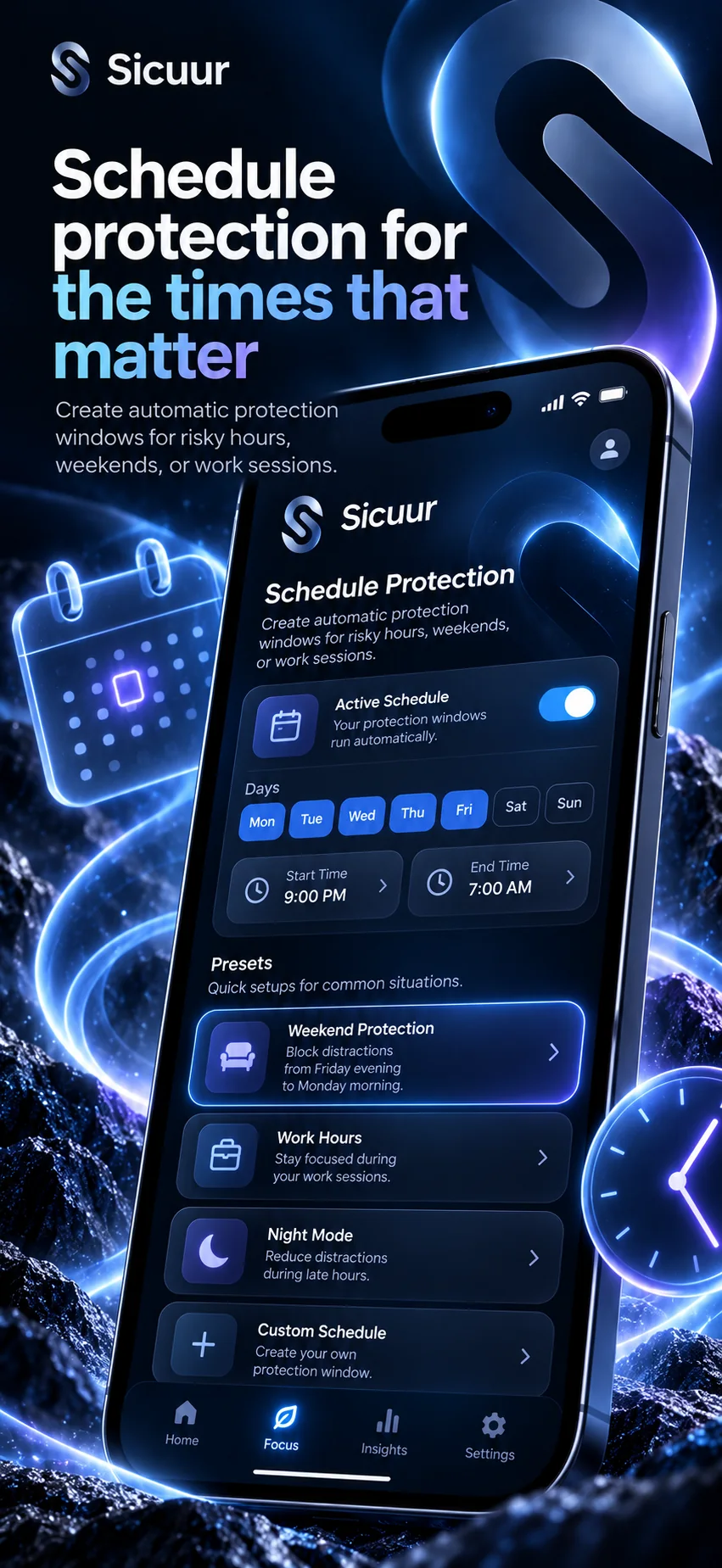
You can also schedule optional protection for selected apps and websites through Apple Screen Time, including one-off or repeating windows. Protection depends on the permissions and configuration you choose. Sicuur supports a decision you have made; it does not guarantee that you will follow the plan or achieve a particular outcome. [1] [3]
- Write the evening rule while it feels clear.
- Record why the boundary matters to you.
- Name the activity you want to choose instead.
- Decide whether optional device protection suits your plan.
- Use the guided Pause when you want space to reconsider.
Common questions
Does the alternative need to be screen-free?
No. Your boundary can distinguish between unplanned scrolling and intentional screen use. Watching a selected film, following a saved recipe, or calling a friend may fit your plan if you define the choice clearly.
What if I am too tired for my planned activity?
Use a lower-effort backup, such as listening to one song, making a drink, or getting ready for tomorrow. You can also revise the plan so it reflects the energy you usually have in the evening.
Should the same rule apply at weekends?
Only if that suits the boundary you want. You can use different times, alternatives, or protection windows on different days. Make each version specific enough that you can tell when it applies.
What should I do if I ignore the boundary one night?
Return to the plan without turning one evening into a verdict. Check whether the timing, alternative, or setup was impractical, then keep the rule or adjust it for the next evening.
Draft your evening alternative
Complete three short lines without adding sensitive details: “My rule is…”, “This matters to me because…”, and “Instead, I will…”. Keep the alternative specific enough to begin without making another plan.
A rule you choose for yourself.
Why it mattersYour reason can keep the choice personal.
Instead, I canChoose one small next move.
This example stays in this browser. It is not saved or sent by this page.
Give the next moment somewhere to go
An evening phone boundary can be simple: one recognizable moment, one clear rule, and one activity you are willing to begin. Prepare the alternative before the boundary starts, keep a backup available, and revise the plan when it no longer reflects what you want.
Try Sicuur on iPhoneCreate a rule, record why it matters, choose an alternative action, and add optional protection if it suits your plan: https://apps.apple.com/us/app/sicuur/id6818635534
Sources and product details
Product features are described from Sicuur’s current App Store listing. Apple’s Screen Time options can vary by device and software version.