
Invite someone you trust
You decide whether to use Trusted Unlock and who to involve. Sicuur does not provide or match accountability partners.
Choose which iPhone apps to block and when. Sicuur's optional Trusted Unlock lets someone you trust approve temporary access without monitoring your activity.
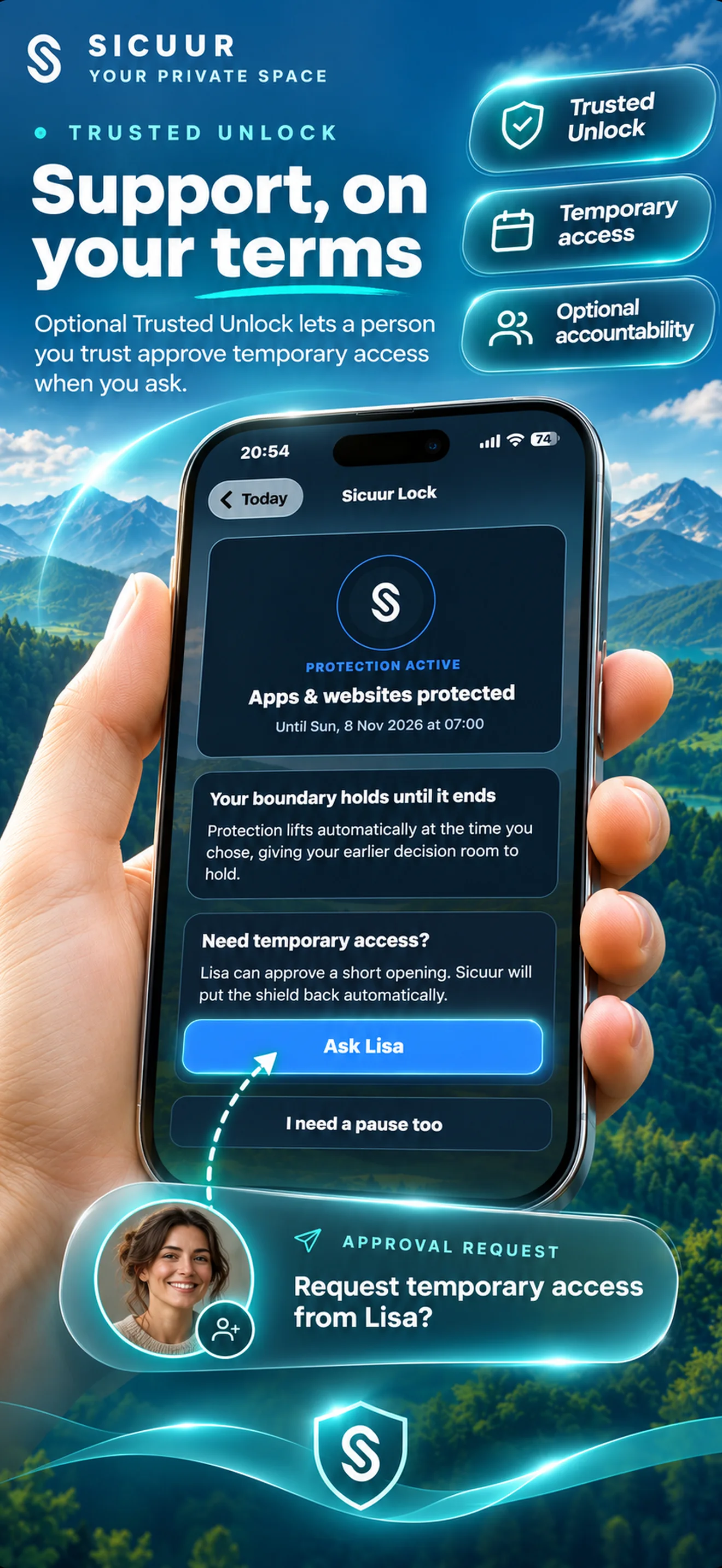
Make a personal plan while things are clear: a rule, why it matters to you and an alternative. Add optional app protection for the moments you choose, then involve a trusted person only if that extra support feels right.
You decide whether to use Trusted Unlock and who to involve. Sicuur does not provide or match accountability partners.
Use optional Apple Screen Time protection for selected apps during a one-off or repeating window.
While protection is active, send a request. Your trusted person can approve or decline it.
Trusted Unlock is designed for a specific request when you choose to ask. It is not an activity feed or a way for another person to control your daily choices.
The trusted person does not need Sicuur installed. Their approval concerns the temporary request; it does not let them browse your plan or app list.
Sicuur uses Apple Screen Time controls with the permission and selections you make in the app. You can plan a single window or a schedule that repeats.
Protection applies to the apps you choose, including browser apps where supported. Sicuur does not block individual website URLs or domains.
Set a time window around a moment you have chosen to protect. Review your selected apps and timing before applying it.
Apple Screen Time has its own settings and capabilities. This page describes Sicuur's selected-app protection and does not promise that every workaround is prevented.
Sicuur helps you create a plan and add optional friction around selected apps. A trusted person may answer a temporary-access request, but they do not receive an activity history or a view into your private plan.
You choose whether to use protection, who to ask, and what to include in your plan. Sicuur does not set goals for you or guarantee a behaviour change.
Sicuur is a personal productivity and self-management app. It is not therapy, medical treatment or emergency support.
The personal plan and guided 60-second Pause are free to download. Sicuur Plus adds optional selected-app protection, schedules and Trusted Unlock.
Write a personal rule, remember why it matters, choose an alternative, use the guided Pause and keep private check-ins.
Selected-app protection, one-off and repeating schedules, and optional Trusted Unlock. UK App Store prices are currently £5.99 monthly or £39.99 annually; prices can vary by storefront.
No. Trusted Unlock lets them approve or decline a temporary-access request. They cannot see your selected apps, personal plan or reason, and Sicuur does not monitor your activity.
Sicuur's optional protection applies to apps you select, including browser apps where supported. It does not block individual website URLs or domains.
Yes. You choose whether to involve someone you already trust. Sicuur does not supply or match accountability partners.
No. Your trusted person does not need Sicuur installed to respond to an optional Trusted Unlock request.
Trusted Unlock lets them approve or decline a temporary-access request you send while protection is active. It is not an open control panel for your device.
No. Trusted Unlock is not activity monitoring. Sicuur is a personal productivity and self-management app, not medical treatment, therapy or emergency support.
Set your own boundary, choose whether app protection fits, and keep Trusted Unlock available only if you want support from someone you trust.